A practical first fine-tune with Unsloth
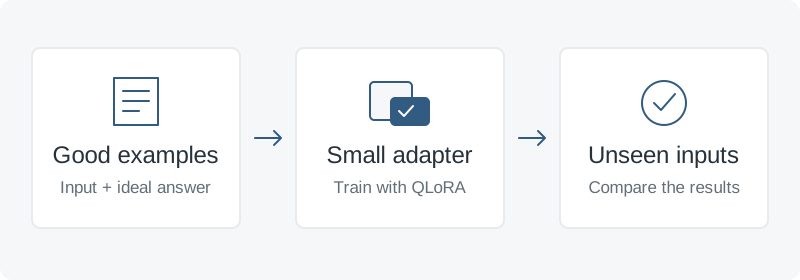
Teach a model a consistent task or style with good examples and a small adapter.
Start with a task you can judge
Fine-tuning teaches an existing model through examples of the answers you want. A useful first task is turning support messages into short, consistent summaries. Try a clear prompt and a few examples first. If you need answers from changing documents, retrieval-augmented generation (RAG) supplies that information at request time. Consider fine-tuning when the remaining problem is a repeatable behavior, format, or style.
Unsloth is a practical shortcut: its notebooks cover loading a model, preparing data, training, and saving. Start with supervised fine-tuning (SFT): the model learns from your input and target answer pairs.
1. Prepare examples worth copying
Write representative inputs and reviewed answers. Include common cases, awkward wording, and examples where information is missing. Remove duplicates, secrets, and personal details you do not need. A few hundred carefully checked examples can be a useful pilot; judge the result before collecting thousands.
Unsloth’s dataset guide supports conversations with role and content. One illustrative record:
{
  "messages": [
    {
      "role": "user",
      "content": "Summarize: My export failed twice today."
    },
    {
      "role": "assistant",
      "content": "Issue: Export failed twice. Next step: Ask for the error message."
    }
  ]
}
Save records as JSONL: one complete JSON object per line. Before training, reserve about 20% as unseen evaluation examples. Keep related conversations and near-duplicates in the same split so the evaluation does not reward memorization.
2. Use the official notebook
Open the Qwen3 4B Instruct notebook, save a copy, and choose a GPU runtime. It is also listed in the official catalog. Check the model’s license and the notebook’s hardware requirements before choosing it for your project.
Keep the notebook’s model and adapter settings initially. LoRA trains a small set of additional weights while leaving the original model frozen. QLoRA also loads the frozen model in 4-bit form to reduce GPU memory use. This notebook enables that with load_in_4bit = True.
Run the installation and model cells. Upload your training file, then replace the sample dataset loading and standardization cells with:
from datasets import load_dataset
dataset = load_dataset("json", data_files="train.jsonl", split="train")
dataset = dataset.rename_column("messages", "conversations")
The rename matches the notebook’s formatter. Continue through its chat-template and training cells, keeping the assistant-response-only training step. Inspect a formatted example before training: both the input and intended answer should be present.
The notebook’s 60 training steps are a short trial. For a fuller run, remove max_steps and set num_train_epochs = 1. Keep other defaults for the first comparison. If GPU memory runs out, reduce the batch size; reduce sequence length only if your examples still fit.
3. Compare on examples it never saw
Run the original model and the adapted model on the same reserved inputs, using identical prompts and generation settings. For the support-summary task, score whether each answer preserves the issue, follows the format, and avoids inventing details. Include ordinary questions to catch regressions outside the training task.
Falling training loss alone does not prove improvement. If new inputs still fail, inspect the examples and error patterns before training longer. Use a separate final test set if you repeatedly adjust training based on your evaluation results.
4. Save it, then test the deployed version
Run the notebook’s saving cells and copy the output somewhere persistent before ending the session:
model.save_pretrained("qwen_lora")
tokenizer.save_pretrained("qwen_lora")
A LoRA checkpoint contains the adapter, not the full base model. Record the exact base model and revision, tokenizer, chat template, and training settings. You need compatible base weights to reload it.
For serving, follow Unsloth’s vLLM export guide to merge into 16-bit weights, or its GGUF guide for a supported Ollama or llama.cpp model. Repeat evaluation after export, preserving the training chat template and correct stop tokens.
Sources: official Unsloth notebooks, dataset and deployment guides, and Hugging Face PEFT documentation, linked above. This note uses an illustrative support task.