Meta’s Segment Anything Model (SAM) 3.1: what changed
What Object Multiplex changes for video segmentation, how to try Meta’s SAM 3.1, and what to measure on your own clips.
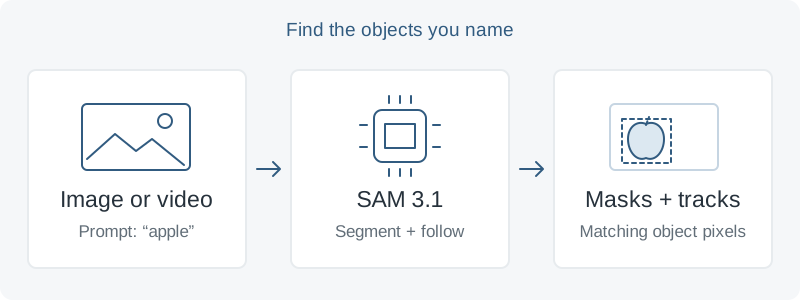
Find the object, then follow its outline
A detector locates an object; segmentation identifies the pixels belonging to it. In video, tracking connects those selections across frames. Imagine selecting every bicycle in a street clip and keeping a separate moving outline around each one. Those outlines, or masks, can become inputs to an editor, an annotation tool, or a counting workflow.
Meta’s Segment Anything Model 3 paper describes a model that combines detection, segmentation, and tracking. Its concept prompts can be short phrases, image examples, or both. Instead of manually selecting each bicycle, you can describe the category and ask for all matching instances. This capability arrived with SAM 3; SAM 3.1 focuses on making multi-object video processing more efficient.
What changed in SAM 3.1?
Meta announced SAM 3.1 on March 27, 2026. Its main change is Object Multiplex: tracked objects share memory and are processed together in groups, reducing repeated work compared with SAM 3’s separate processing for each object. The announcement describes groups of up to 16 objects in one forward pass.
The official release notes report roughly 7× faster inference at 128 objects on one H100 GPU, compared with the November 2025 SAM 3 release. That is a specific crowded-scene measurement. It does not predict the speed of a different GPU, a one-object clip, or a complete application that also decodes and exports video.
Accuracy needs the same care. The release notes show improvements on six of seven video object segmentation benchmarks, while concept-based video benchmark results are mixed. For example, YT-Temporal-1B improves, but LVVIS declines. The useful question is whether the new model improves your combination of speed, mask quality, and tracking consistency.
Where it could be useful
- Video editing: use a moving mask to apply an effect to selected objects, then inspect the boundaries throughout the clip.
- Dataset annotation: generate candidate masks for a reviewer to correct, and measure whether the complete review process saves time.
- Visual measurement: track individual items through a short scene, checking that an object disappearing behind another does not become a new count.
These are possible workflows, not results from a deployment described here. Start with one clearly defined output, such as a reviewed mask for every bicycle in a ten-second clip. Decide what an unacceptable miss looks like before choosing a model.
A practical first trial
For an initial look, use Meta’s Segment Anything Playground with its samples or a clip you can upload. Start with a short, concrete noun phrase. Compare an easy scene with one containing overlapping objects and camera movement.
For a local experiment, follow the repository’s installation instructions. At the time of writing, the listed prerequisites include Python 3.12+, PyTorch 2.7+, and a CUDA-compatible GPU with CUDA 12.6+. Existing SAM 3 installations need updated code for the SAM 3.1 checkpoints.
Request access to the official SAM 3.1 checkpoints and review the access conditions and license. The model page hosts checkpoints and explicitly says it has no Hugging Face Transformers integration; use the linked Meta code and examples.
Open the SAM 3.1 video notebook, which demonstrates text prompts and positive or negative point corrections. Run its sample first, then substitute one representative clip. Save the repository revision, checkpoint, prompt, and hardware details so the comparison can be repeated.
Check the failures as well as the speed
Meta documents limitations with specialized concepts outside the training domain and long descriptions requiring reasoning. A phrase identifying a visible category is a better starting point than a complicated instruction about an object’s position or purpose. Faster tracking does not remove these recognition limits.
Inspect missed objects, unwanted selections, rough edges, and identity changes after occlusion. Include a clip where the requested object is absent. Measure the time from loading the video to obtaining a usable result, plus any manual correction time. Keep these checks identical when comparing SAM 3 and SAM 3.1.
Go a little deeper
- Read Meta’s SAM 3.1 announcementMeta AI · March 27, 2026
- Compare the speed and accuracy resultsMeta · SAM 3.1 release notes
- Try video segmentation with Object MultiplexMeta · official example notebook
- Understand promptable concept segmentationNicolas Carion and colleagues · SAM 3 paper
A reading and practical note based on Meta’s SAM 3 paper, SAM 3.1 announcement, release notes, and official examples. Research and benchmark results belong to Meta and the credited authors. The workflow examples and diagram are illustrative originals; no independent model benchmark is claimed. Sources checked September 20, 2026.